Turn on the AI Assistant
The Assistant starts off and turns on in steps: you decide how much autonomy it gets, always with a brake at hand.
Before you start
Section titled “Before you start”-
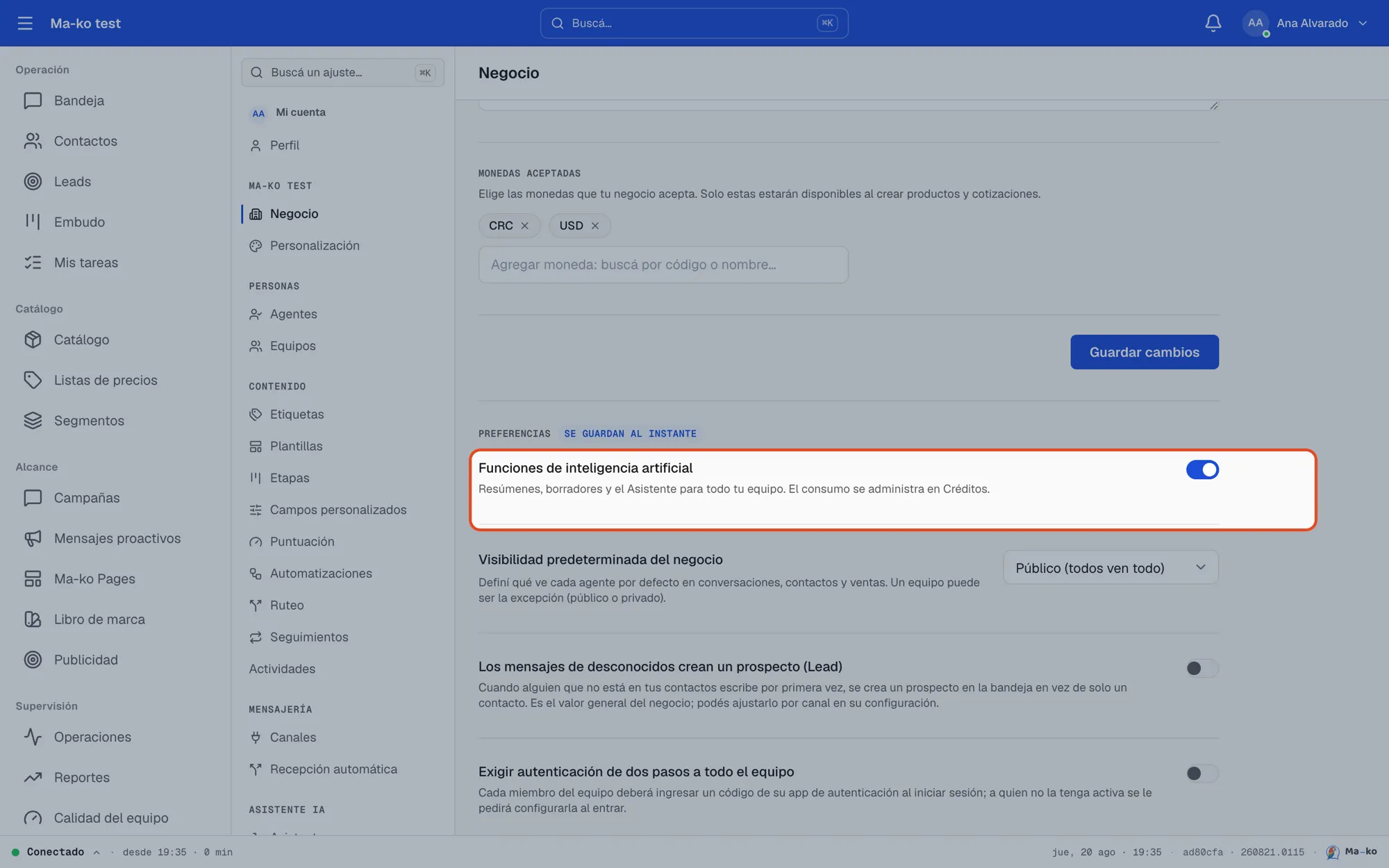
Turn on the business AI. In Settings → Business, enable Artificial intelligence features. This unlocks summaries, drafts and the Assistant; usage is managed in Credits.
-
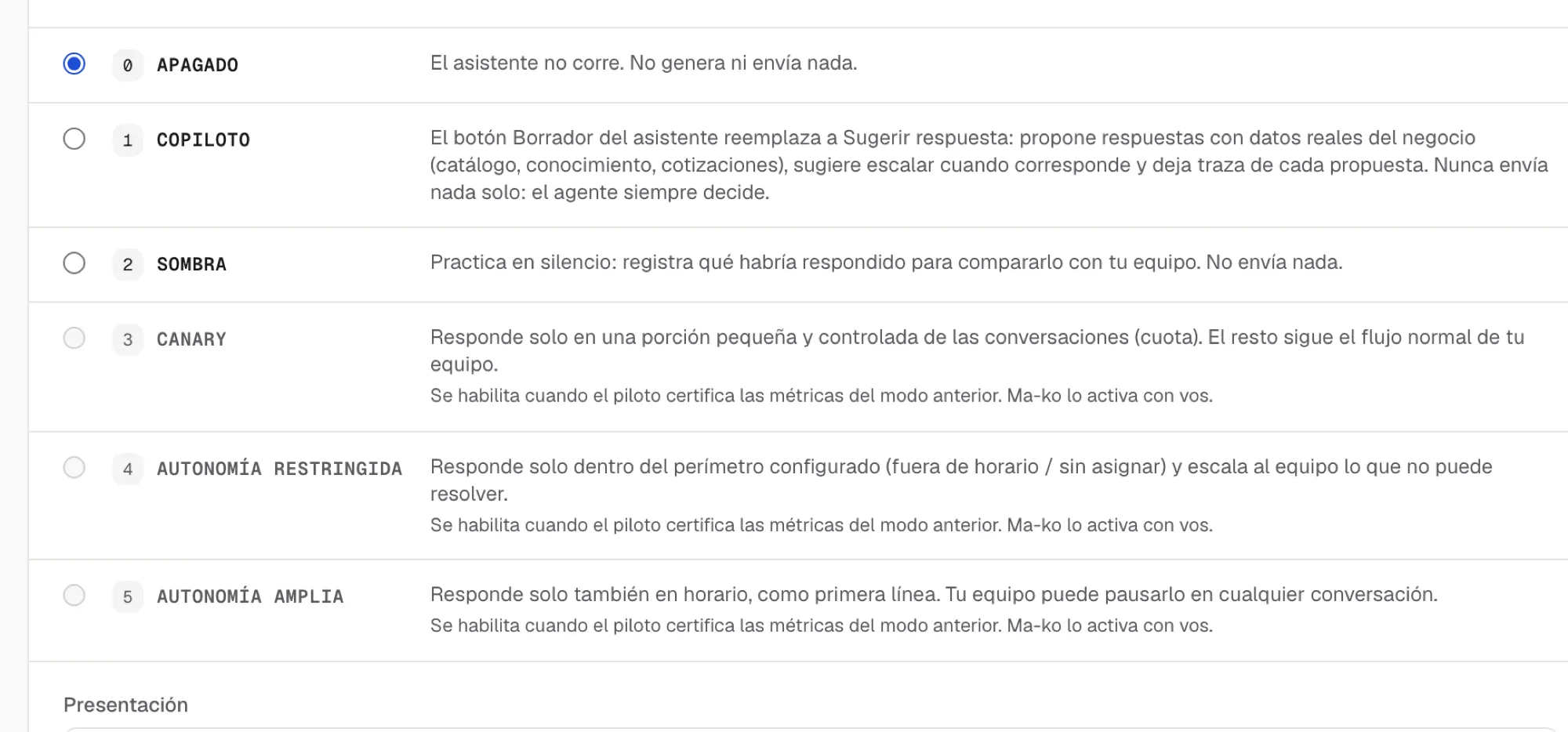
Pick the Assistant’s mode. In Settings → Assistant, set the Assistant mode: to start, Copilot (drafts replies with real data and you decide what gets sent) or Shadow (practices silently, sends nothing). The autonomy steps unlock once the pilot is certified.
-
Set its limits. Choose the perimeter where it can act (after hours, unassigned conversations), which team it escalates to when it can’t solve something, and which topics it handles.